> ## Documentation Index
> Fetch the complete documentation index at: https://fdocs.info/llms.txt
> Use this file to discover all available pages before exploring further.
# How to find a geo_code?
## What is a geo\_code?
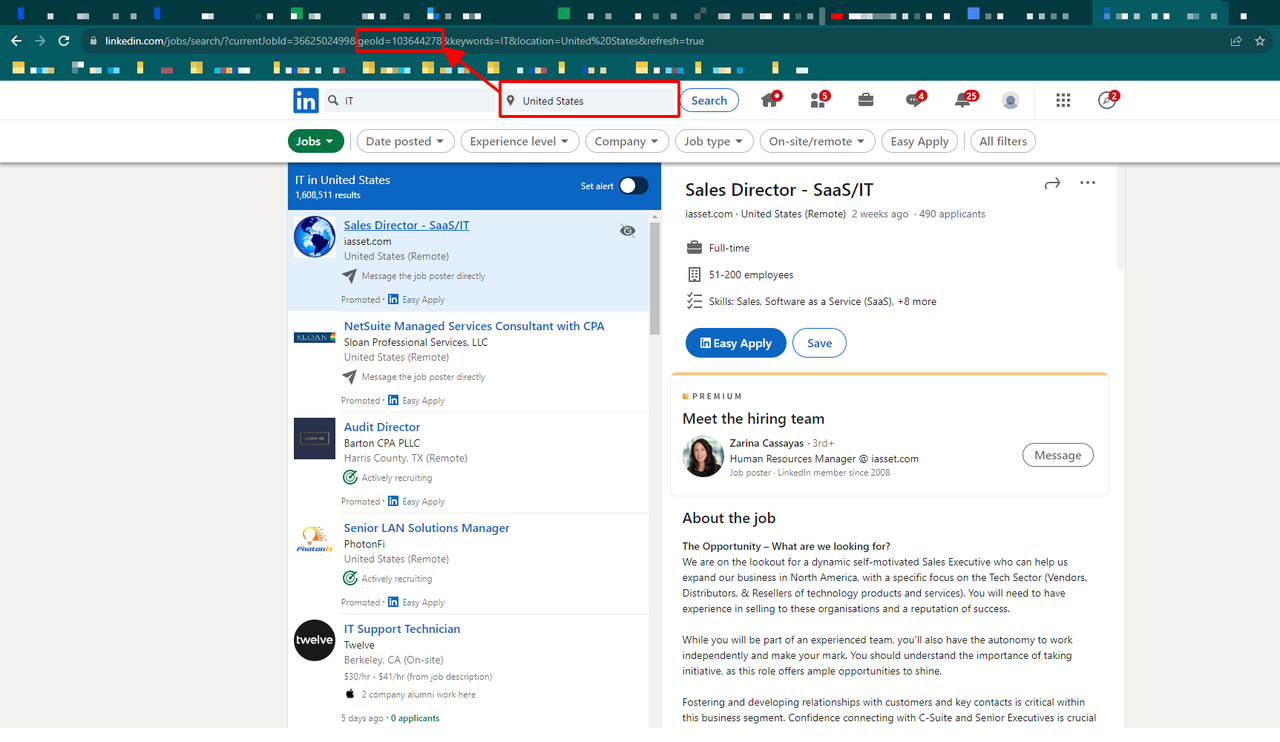
In LinkedIn, each location, region or country is associated with a global unique id that's called a **geo\_code** in our API. For example, the geo\_code of United States is **103644278**. It's used a lot in different endpoints like "Search Employees", "Search Companies", or "Search Jobs" to filter the records by location.
## How to find it?
Simply go to LinkedIn website, put in your target location (i.e United States) and you'll see the geo\_code in the address bar.